
Edit Text in Image Online with Fava AI – AI-Powered, Instant & Free
Seamlessly rewrite, remove, or insert text in any image — no Photoshop, no login.






Key Features to Edit Text in Image with Fava AI

✨ Instantly Edit Text in Any Image
Transform your visuals in seconds with our AI-powered tool that lets you edit text in images directly online. Whether it's removing typos or replacing content, Fava AI makes it fast and easy.
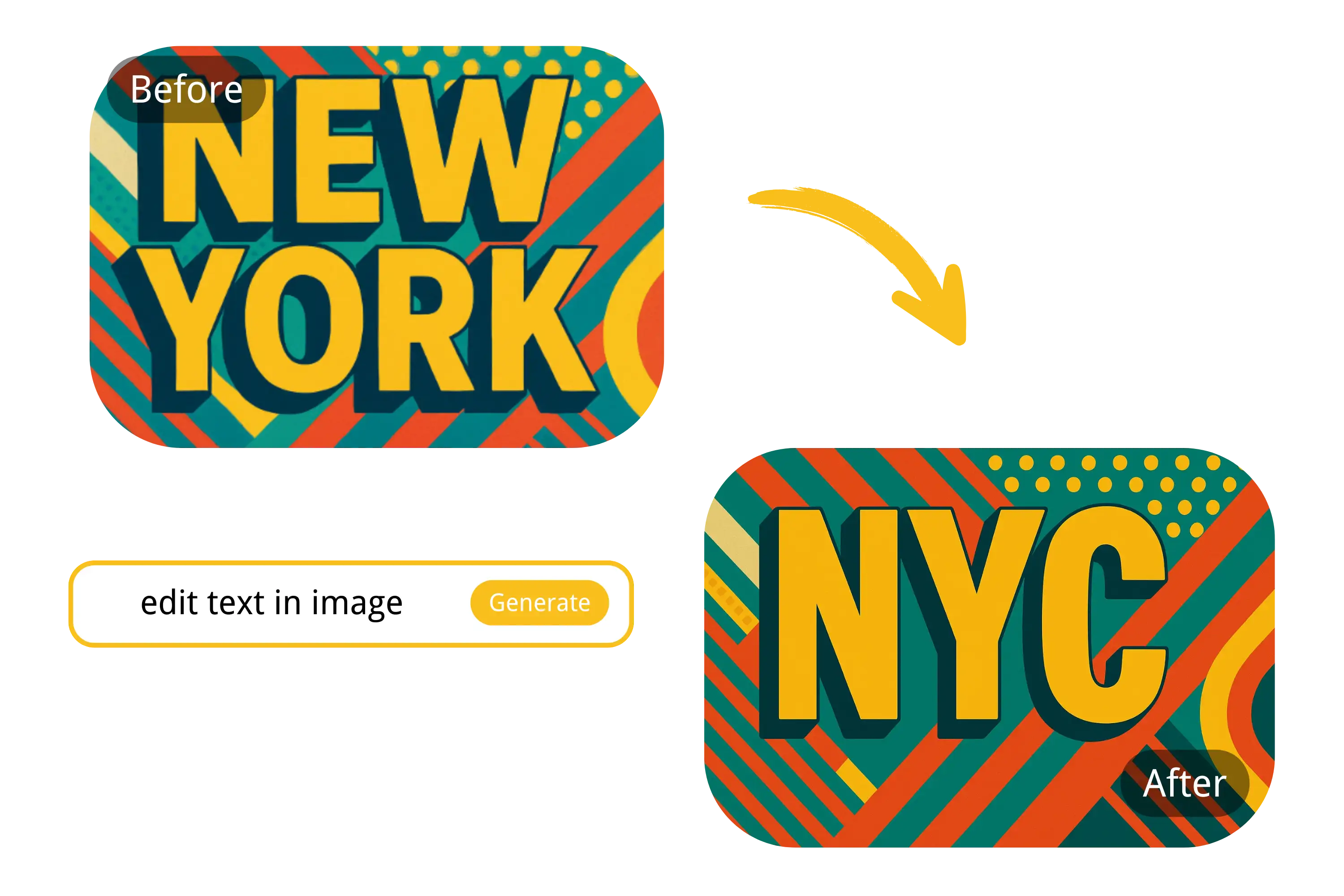
🧠 Smart AI Text Detection & Editing
Fava AI automatically detects text in your image and offers seamless inpainting for removal or rewriting. No technical skills or design software required to edit text in image content.
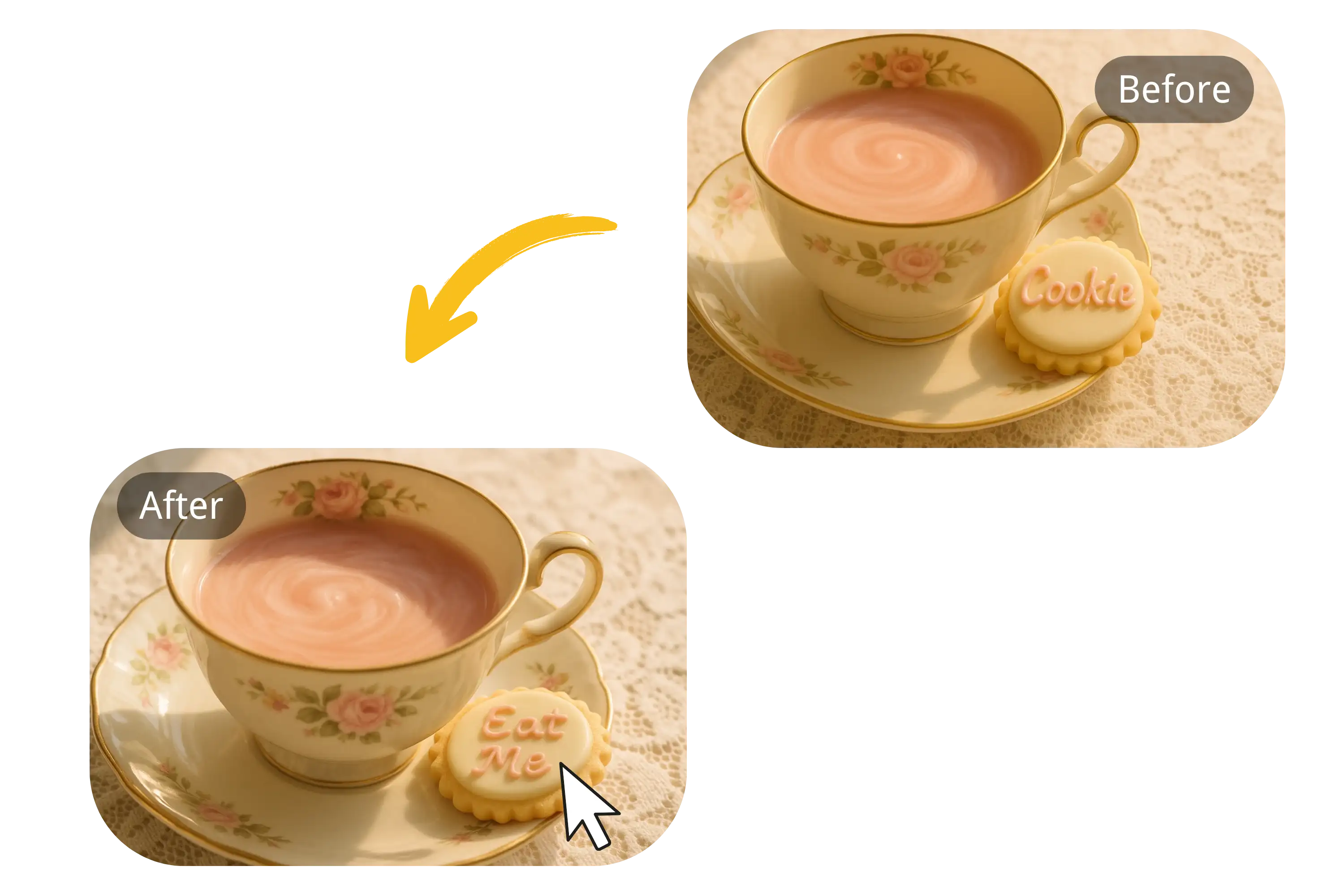
🎨 Full Control Over Your Text Style
Add new text with customizable font styles, alignment, and positioning to match the original design. Edit text in images while maintaining visual consistency and creative freedom.

📱 Cross-Device Compatibility
Use Fava AI to editEdit Text in Image text in image files from your desktop, phone, or tablet. Our responsive tool works flawlessly across devices with no installations or sign-ups.
How to Edit Text in Image with Fava AI
📤 Upload Your Image
Select any image containing the text you want to change. Fava AI supports various image formats including PNG, JPG, and more.
✏️ Describe Your Text Edit
Tell our AI what you want to do — erase, rewrite, or add new text. Fava AI processes your request with intelligent editing precision.
📥 Download Your Edited Image
Once your edit is complete, download the high-resolution version of your updated image — ready to use, print, or share.
Who Can Benefit from Editing Text in Image with Fava AI
📢 Marketers & Content Creators
Update campaign messages, swap out promotions, or fix design typos without needing source files or graphic designers.
📝 Proofreaders & Designers
Correct mistakes in exported image files where the original project isn't accessible, saving time and revision rounds.
🌍 Translators & Localization Experts
Easily replace original text in images with localized content to create multilingual versions of your visuals without hassle.
🎨 Casual Users & Meme Creators
Add captions, event names, or jokes to existing images instantly. Perfect for fun edits or quick social media posts.
What Users Say About Editing Text in Image with Fava AI
Fava AI helped me update promotional banners in minutes — no Photoshop needed! The results look polished and professional.
Sarah Lopez
Digital Marketing SpecialistWhen a client needed a quick text fix on an exported design, Fava AI saved the day. Super accurate and fast.
James Wu
Freelance DesignerIt’s a game-changer for translating images. I can swap English text for localized versions without altering the visuals.
Anika Patel
Localization ManagerI love how easy it is to edit text in memes and posts. It works perfectly on my phone and delivers crisp edits!
Tom Riley
Social Media Manager
Frequently Asked Questions About Editing Text in Images
Do I need an account to edit text in an image with Fava AI?
No account is needed. You can start editing images directly from your browser with zero sign-up.
Is Fava AI really free to use?
Yes, you can try it for free — no subscription or sign-up needed.
Will my image quality be affected after editing text?
No. Fava AI ensures high-resolution output with consistent quality and professional-looking results.
Can I choose the font and style of the new text?
You can describe your preferred font, size, or style in the “Other Ideas” field, and we’ll follow your instructions as closely as possible.
Does it work on mobile devices?
Absolutely! Fava AI is optimized for all devices including smartphones and tablets.
What image formats are supported?
You can upload JPG, PNG, and most common image formats to edit text using Fava AI.
Is it safe to use? Are my images stored?
Free images are temporary and not stored. Paid users' images are saved privately and securely without watermark.
Can I edit multiple images at once?
Currently, edits are done one image at a time to ensure the best quality. However, batch editing support is on our roadmap and will be available in a future update.